
ENCY 3.0: what changes for CAM, post-processors and robotics
ENCY 3.0 explained: tool assemblies, Combo Finish, cutting data, macros and CAM Agent Beta, with official sources and an upgrade checklist.
Technical article about ENCY 3.0, published on 2 November 2026. The product launched on 14 September 2026; later updates are identified separately in the text.

ENCY 3.0 expands CAM programming through changes to tooling, machining strategies and repeatable workflows. For a manufacturing business, the useful question is which change helps with its own parts. This article explains selected enhancements and the checks needed when aligning an upgrade with the machine and post-processor.
The official release announcement dated 14 September 2026 confirms availability of ENCY 3.0, ENCY Robot 3.0 and ENCY Tuner 3.0. Our technical article is published on 2 November 2026.
The main changes at a glance
- Tool assemblies: combine cutting tools, holders and adapters within the project.
- Machining: new finishing operations, revised cutting-data calculation and extended holder-collision avoidance.
- Automation: record workflows as macros, add extensions and evaluate CAM Agent in beta.
- Machine integration: find post-processors and machine models in a shared catalog and assess them against the actual configuration.
Tool assemblies rather than isolated tool data
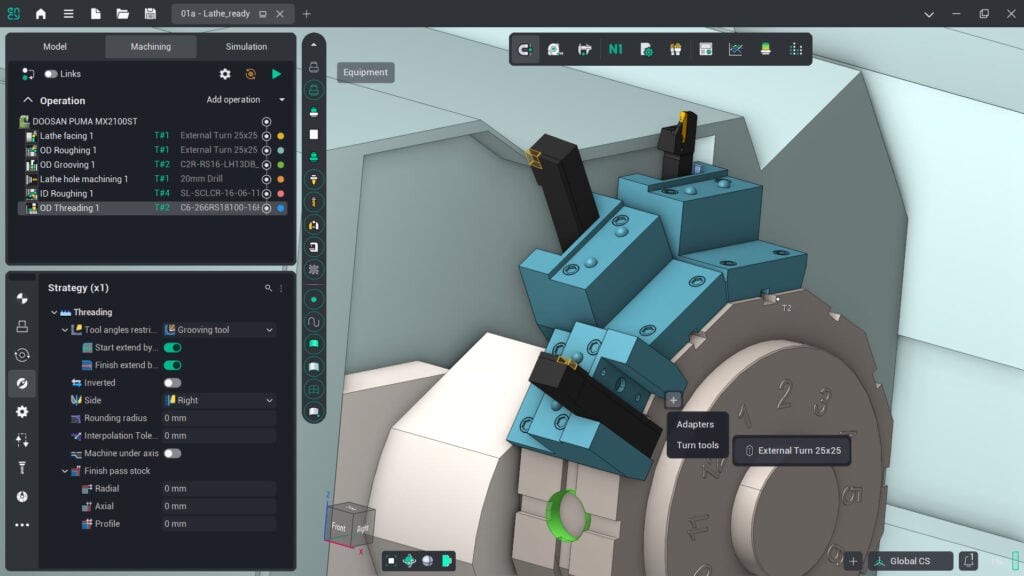
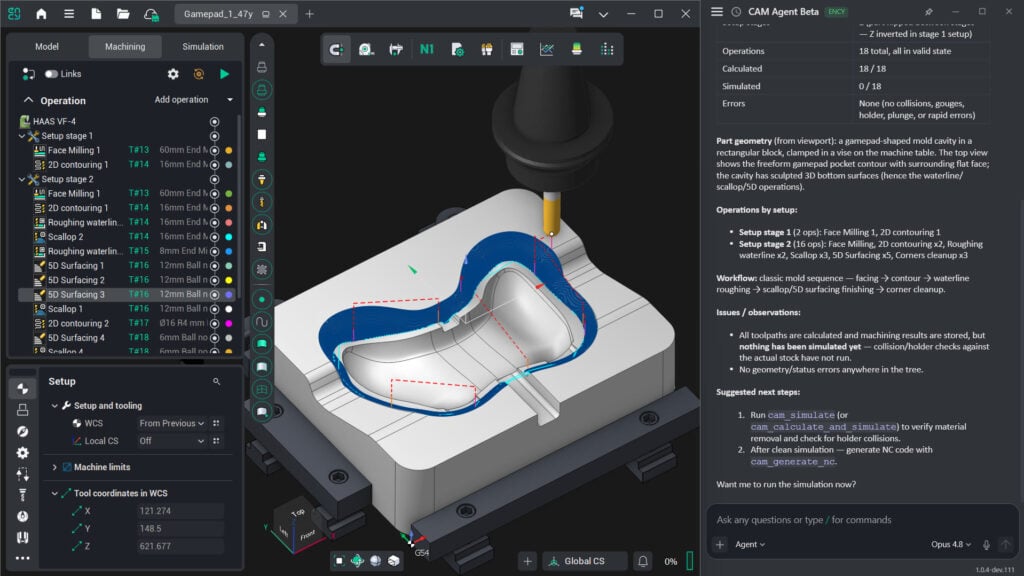
The new Tool Assemblies connect cutting components with holders and adapters. Assemblies can be edited in the context of the part and machine, allowing modeled holder geometry to be included in simulation. In practice, tool projection and assembly dimensions should match the physical setup. A complete model is particularly useful where the holder passes close to the part or workholding.
Combo Finish and additional finishing operations
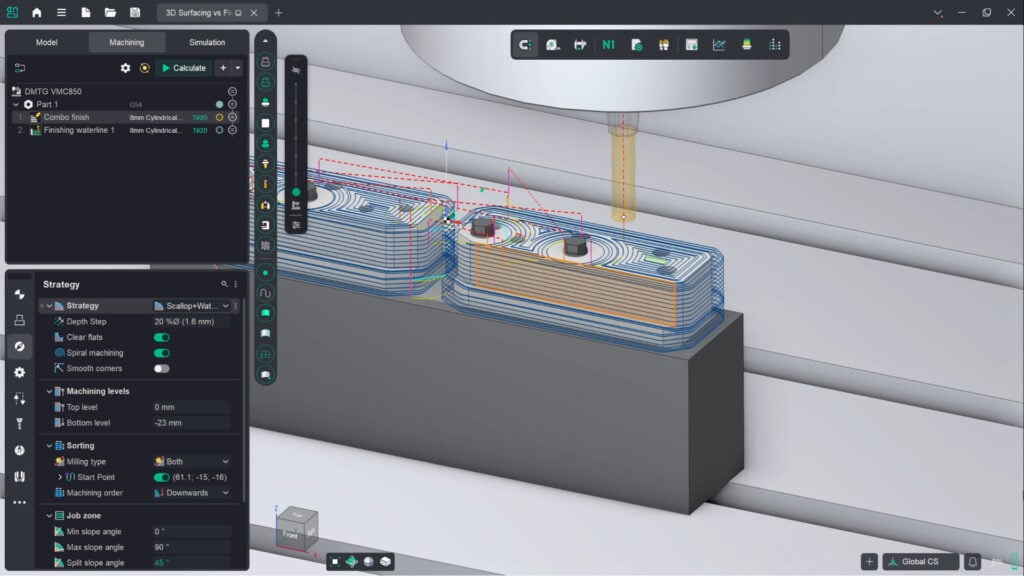
Combo Finish brings Plane (parallel passes), Waterline (constant-height passes) and Scallop (consistent step-over) strategies and their combinations into one operation. This allows shallow and steep areas of a mold part, for example, to be planned together. Any improvement in transitions, machining time or surface finish must be assessed on the actual part with the selected tool, step-over and tolerance.
Specialized applications include Blade Machining for multi-axis blade finishing and Contour Polishing, listed in the enhancement overview. This does not establish that every license includes them. The required machining package depends on the application.
Calculate cutting data on a clear basis
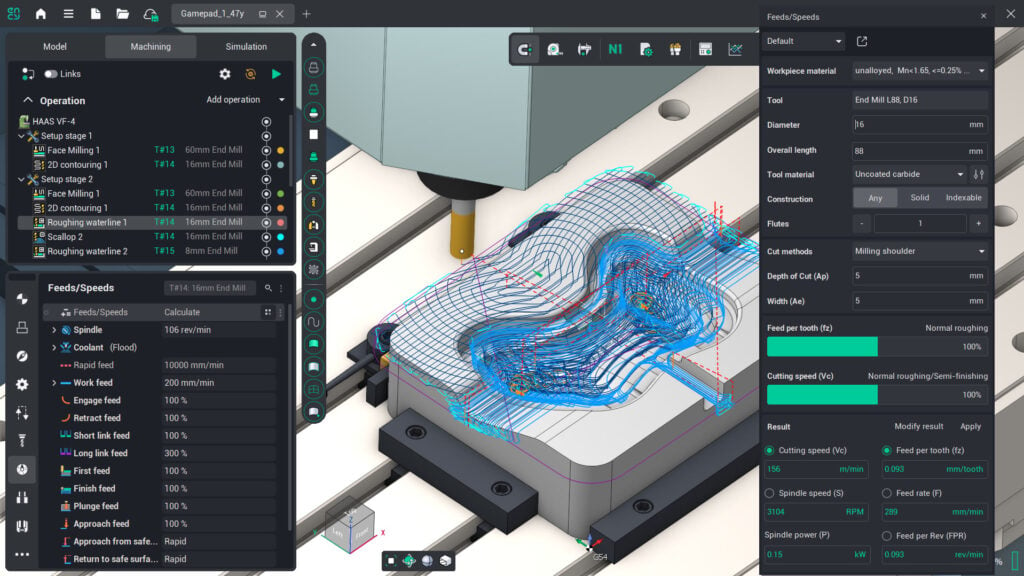
The revised Feeds/Speeds calculator takes the tool, material and cutting method into account. It calculates values including cutting speed, spindle speed and feed; values can be adjusted and transferred to the operation. This supports a consistent data basis. Suggested settings must still suit the tool manufacturer's recommendations, workholding and machine power limits.
Adaptive Tilting: more options for holder collisions
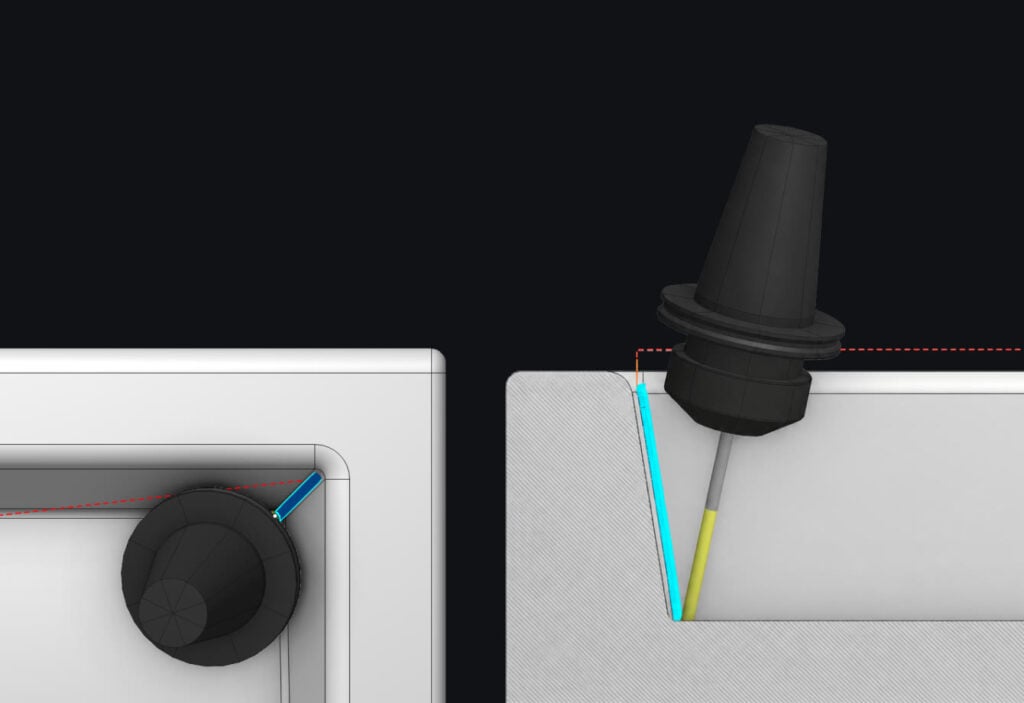
Adaptive Tilting extends holder checking: tool orientation can be adjusted through two angles simultaneously to avoid modeled holder collisions. Links between passes can also be included. This may help with difficult-to-reach surfaces. Where the result uses simultaneous five-axis motion, the machine kinematics, axis limits and post-processor must support that output. The configuration matrix specifies a 5X Mill license for conversion to a five-axis toolpath.
Nesting from ENCY 3.1.3: arrange contours on stock
Contours on a sheet
- Six separate L-shaped contours are arranged with gaps on a material sheet.
- a denotes an example gap. This illustrates the principle, rather than an optimal packing calculation.
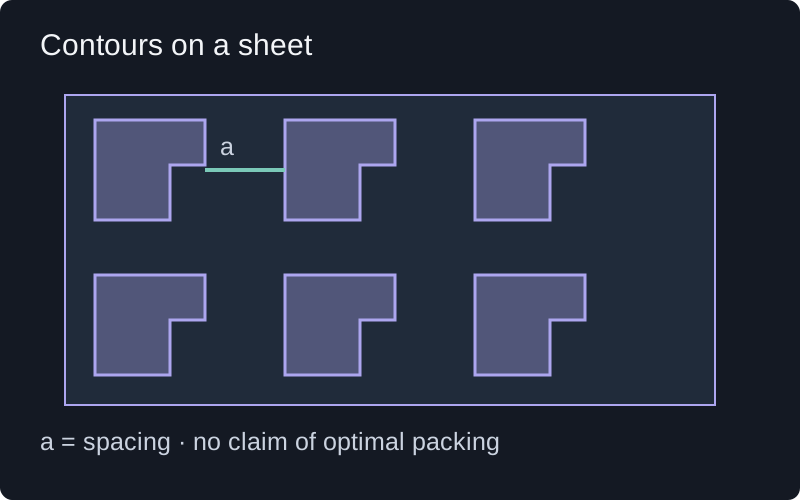
From the later ENCY 3.1.3 update, the new Nesting module in ENCY Design adds automatic contour placement for sheet and plate work. Spacing, allowed rotations and part quantities influence the layout. This is relevant to laser, plasma and waterjet cutting, for example. Improved material utilization depends on the job; cutting sequence and NC output still need to be considered separately.
Macros, extensions and AI serve different purposes
Macros for repeatable tasks
The new macro recording can capture actions such as creating operations, assigning geometry and changing project settings. These become editable extensions that can be run again. For part families, this offers a way to standardize recurring preparation. Different geometry still requires assignments and results to be checked.
Extension Store for additional capabilities
The Extension Store brings optional add-ons together on the web and within ENCY. It provides a way to add tools between major releases. The catalog contains free extensions and supports paid offerings; an extension is not necessarily included in an existing license.
CAM Agent is explicitly in beta
The manufacturer describes CAM Agent (Beta) as AI assistance for tasks such as project preparation, operation creation and project analysis. The beta status matters when evaluating it. Generated operations and NC output need technical review; this does not amount to automatic approval for use on the physical machine.
Digital Machine Center and suitable post-processors
The Digital Machine Center brings post-processors and kinematic machine models into one catalog. A catalog match is a starting point: control version, options, tool changes and shop-specific NC conventions must suit the actual machine. According to the manufacturer, full catalog access depends on an active Software Maintenance Contract; trial access is offered separately.
ZuberCAM supports post-processor development and adaptation and machine-model alignment. During an upgrade, we check in particular whether new capabilities change the commands generated or the machine sequences required.
What changes for robotics?
The ENCY 3 enhancements also include improved Smart Motion for robot paths: for 5D and 6D operations, path planning can work without a prior Axes map, while a map remains available for fine-tuning. This concerns robot programming and does not replace checking the physical cell. ENCY Robot is used for offline robot programming. ENCY Tuner is a separate solution for NC-code simulation and refinement; ENCY Hyper connects digital robot programming with work at the physical cell.
Separate ENCY 3.0 from later updates
On 9 October 2026, the manufacturer introduced Studio and Studio White for ENCY 3.1.3. These visual themes therefore belong to a later update. When choosing a function, the exact installed version matters more than the general ENCY 3 name.
How we assess an upgrade with you
- Define the need: which enhancement helps with a representative part? Check the license and option scope first.
- Preserve the starting point: retain the existing project, tooling data, machine model and post-processor for comparison.
- Calculate a comparison: review geometry assignments, assemblies, cutting data and calculated motion against the existing result.
- Test NC output: check control functions and relevant test cases, then introduce the change under controlled machine trials.
Would you like to assess ENCY 3 against your production needs? Arrange a personal demonstration and tell us your machine, control and a typical machining task.
Sources and technical status
Technical status: 2 November 2026. Sources are the manufacturer announcement, ENCY 3 documentation and notices about extensions, the machine catalog and Studio, linked directly beside the relevant statements. Official product images come from the linked ENCY Software announcement. Additional original explanatory diagrams are identified separately. Applicability to an actual installation is checked during the project.